Pilot
- 4.6
- Rating
- 1.00M
- Installs
- Free
- Price

 Analysis by App-foxy
I found Pilot most useful when I treated it as a road-trip companion rather than a complete travel planner. It brings fuel stops, food options, and rewards into one place, which sounds simple, but that combination matters when I am driving a long route and want fewer separate searches. My overall view is clear: Pilot is a practical choice for drivers who regularly use Pilot and Flying J locations, while it is less compelling for someone who wants a neutral app covering every fuel brand, independent restaurant, and roadside service.
This is a free Travel & Local app from Pilot Flying J, and its focus is easy to understand from the first use. Instead of asking me to build a detailed itinerary, it helps with the repeated decisions that come up during a drive: where to stop, whether a familiar travel-center network is nearby, what to eat there, and how to keep rewards connected to those visits. I would not replace a full navigation app with it, but I can see myself opening it before a trip and again whenever I need a dependable break on the road.
What the app does well on an actual trip
I find the app most useful when I plan a stop around the whole break, not just the fuel. Before setting off, I’d decide what matters on this leg—food, a familiar travel center, or rewards—and use that to make the stop choice while safely parked. That simple habit helps keep the search from becoming a distraction on the road, and it also makes it easier to judge whether this focused tool fits my routine.
You May Also Like

 Blood Strike: 2.5 Anniversary
Blood Strike’s Loadouts Turn Every Drop Into a Tactical Gamble
A close look at Blood Strike’s custom loadouts: how fast access to signature weapons reshapes its battle royale rhythm, rewards preparation, and narrows the gap between fights.

 Pandora - Music & Podcasts
Pandora’s Music Is Easy to Start, but Harder to Recover
Pandora’s strength is its low-effort path from a seed to a station. Its weak spot is how much confidence it asks you to place in connection, setup, and quiet recovery.

 8 Ball Pool
 Is Built on Rivalries, Rematches, and Routine
A close look at the rivalries, rematches, shared routines, and unanswered safety questions that turn a quick pool match into a persistent mobile community.

 Samsung Music
’s Quiet Strength Is Playing What You Already Own
Its reach comes less from spectacle than from dependable access to a personal library. That simplicity is both the app’s strongest retention engine and its ceiling.

 AccuWeather: Weather Radar
AccuWeather Review: A Quick, Clear Forecast for Everyday Decisions
For everyday plans, the best forecast is the one you can understand quickly. AccuWeather makes rain timing, radar, and local conditions easy to act on, with a few trade-offs.

 Hill Climb Racing
Why Hill Climb Racing Still Turns Crashes Into One More Run
A tiny car, a bumpy hill and one more upgrade: Hill Climb Racing keeps resurfacing because its simple chaos makes every near-miss feel personal.
More From Our News Desk



A focused tool for fuel, meals, and breaks
The strongest part of the experience is its narrow purpose. Many travel apps try to cover hotels, attractions, maps, bookings, and local recommendations all at once. Pilot takes a more specific route. Its value comes from combining the practical needs of drivers who stop at Pilot and Flying J travel centers. That makes the app easier to understand than a broad travel marketplace, especially when I am already committed to using that network.
In a realistic everyday scenario, I might leave early for a long interstate drive with the tank partly full and no desire to improvise every stop. I can use the app to think ahead about a suitable Pilot or Flying J location, check the available fuel and food context, and keep rewards in the same workflow. The useful detail is not just finding a pin on a map. It is reducing the number of decisions I have to make while tired, hungry, or trying to keep a schedule.
That focus also helps when traveling with other people. A solo driver may only care about fuel, but a family may need food and a proper pause. Someone driving for work may care about making a predictable stop without wandering through unfamiliar exits. The app is at its best when the stop itself matters as much as the fuel.
Why the rewards side changes the routine
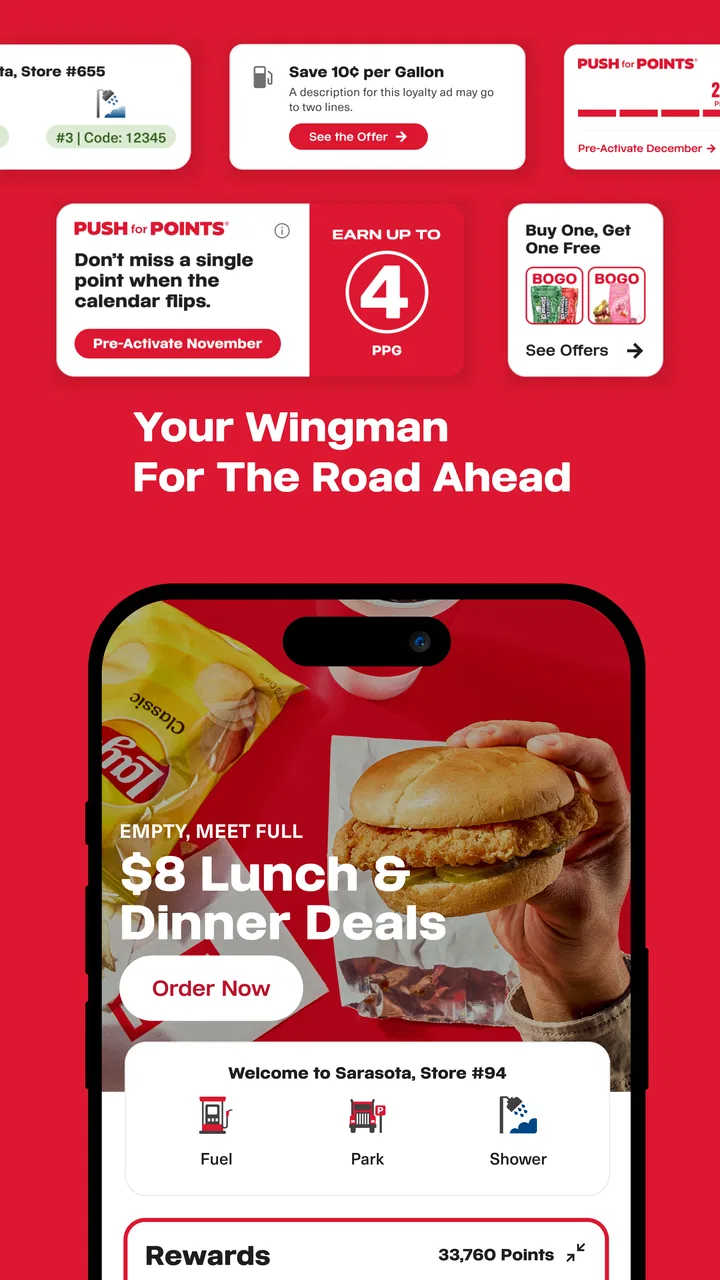
Rewards are more useful here than they would be in a generic map app because they are tied to the reason I am stopping. If I am already buying fuel or food at a participating location, keeping the rewards activity close to the stop information makes the routine easier to remember. I do not have to treat fuel planning and loyalty tracking as two completely separate tasks.
My practical advice is to set up the rewards side before leaving, not while parked at a busy travel center. A few seconds spent checking the account and understanding how I intend to use it can prevent the awkward moment of trying to organize everything beside the pump. I also prefer to review a planned stop while stationary, since handling an app during a drive is a needless distraction.
The trade-off is that rewards naturally make the app more valuable to regular customers than to occasional visitors. If I rarely use Pilot or Flying J, the loyalty element may not justify adding another app to my phone. A general map application may be enough for locating nearby fuel, while the Pilot app becomes worthwhile when the network is part of my normal travel pattern.
Useful preparation before leaving home
I would use this app in two stages. Before departure, I would look at the route and identify likely stops instead of waiting until the fuel warning appears. During the trip, I would reopen it only when parked or when a passenger can handle the search. This small change makes the app more useful because it turns a rushed decision into a planned break.
There is another advantage to planning stops around a travel center rather than treating fuel as a five-minute errand. A stop can become a reset point: fuel, food, a stretch, and a quick look at the remaining route. The app supports that way of thinking because its core subjects are connected. It is not merely about finding the closest pump; it is about choosing a recognizable place to pause.
For professional drivers, that can be especially practical. A driver who follows repeated routes may appreciate having a familiar network and rewards activity in one app. However, I would still compare the app’s stop information with the driver’s normal navigation and route-planning tools. A dedicated navigation service is generally better for live routing, traffic decisions, and the full journey. Pilot works best beside that tool, not necessarily instead of it.
How it compares with ordinary map and fuel apps
A standard map app usually wins when I want the broadest selection. It can show fuel from many brands, restaurants outside travel centers, and places that are closer to my exact position. A dedicated fuel-price app may also be better when the only goal is finding the cheapest option nearby. Pilot has a different advantage: it keeps the search centered on locations where fuel, food, and the rewards relationship meet.
That distinction matters on long drives. The cheapest pump is not always the most useful stop if I also need a meal, a break, or a familiar place to regroup. Conversely, if I am making a short local trip and only need the lowest price, the Pilot app may feel too limited because its usefulness depends on choosing this particular network.
I also would not use it as my only source of travel information. It is not the kind of app I would open to discover museums, compare hotels, or build a sightseeing itinerary. Its strength is operational rather than inspirational. It helps answer, “Where can I make a useful road stop?” rather than, “What should I do in this city?”
Small workflow choices that make it better
One of the less obvious benefits is the way it can support a repeatable stop routine. I can decide in advance that the app is for checking a location, handling the rewards part, and choosing food before I pull in. That is more efficient than opening several unrelated services at the same time. The app becomes a single-purpose checklist for a specific kind of roadside decision.
I would also avoid searching while moving, even if the request seems minor. The best workflow is to prepare at home, ask a passenger to check the next stop, or pull over safely. This is not a criticism unique to Pilot; it is simply the sensible way to use any travel app. The more useful the app becomes for route decisions, the more important it is to keep those decisions separate from active driving.
Another practical tip is to judge a stop by the whole break, not only by distance. If I am already tired or traveling with passengers, a slightly less immediate location may be more convenient if it combines the services I need. That is where Pilot’s connected fuel-and-food focus can beat a bare “nearest gas station” search.
The friction I would want new users to understand
The main limitation is network dependence. Pilot is not a universal roadside directory, so its usefulness changes with my route and habits. If the next suitable location is outside the network, I still need another map or navigation app. Someone who expects a complete picture of every fuel station and roadside business may find the experience narrower than expected.
There is also a mental cost to maintaining a separate app for one travel-center brand. Even though the app is free, my phone and attention are not unlimited. If I already have a strong navigation app, a fuel-price service, and a rewards wallet that covers my usual stops, Pilot may overlap with tools I already use. The best reason to install it is not curiosity; it is repeated, real-world use of Pilot or Flying J locations.
I would also be careful not to assume that every stop will feel identical simply because it belongs to the same network. My needs can change by route, time of day, and who is traveling with me. The app can help me find and organize a stop, but I still need to make the final judgment about whether that stop fits the moment. That is an important distinction between useful planning and blind reliance.
Who should install it
I recommend Pilot most strongly to people who spend a lot of time on highways and already choose Pilot or Flying J for fuel or breaks. It is also a sensible download for families taking long road trips, especially when a stop needs to cover more than gasoline. The rewards connection gives regular customers a reason to return, while the combined travel-center information can make planned breaks less scattered.
It may also suit drivers who dislike switching between a map, a restaurant search, and a loyalty account every time they stop. The app does not need to replace all those services to be useful. It only needs to make the Pilot-centered part of the journey smoother, and for the right driver, that is enough.
I would skip it if I usually choose whichever fuel station is cheapest, if I travel mostly in areas without Pilot or Flying J locations, or if my trips are short enough that dedicated stop planning adds no value. I would also keep a general navigation app installed. Pilot is a companion for a particular roadside ecosystem, not a universal answer to every travel question.
Compatibility, maturity, and everyday expectations
The app has been available since late 2011, which gives it the feel of an established service rather than a brand-new experiment. Its current version is 7.13.0, and it supports devices running iOS or Android 8.1 and newer. That broad compatibility should make it accessible to many people using older phones, although I would still keep the operating system and app updated when possible for a smoother experience.
Pilot is free to download, but “free” should be understood in practical terms: the app itself does not require a purchase price, while its value is connected to using the company’s travel centers and rewards program. I would not install it expecting a general-purpose travel planner with every possible service. I would install it because my driving habits make its focused tools relevant.
The mature rating of 17+ is worth noticing for families. That label does not change the app’s basic roadside purpose, but parents should check the store presentation and device settings before handing a phone to a younger traveler. For an adult driver, the more important consideration is safe use: plan while parked and never let the search process compete with attention to the road.
What user adoption tells me, and what it does not
The app has an average rating of 4.6 from around 276 thousand ratings, with more than 26 thousand written reviews and over one million installs. Those figures suggest that it has reached a substantial audience and that many users find the concept useful. I see that as supportive evidence for its basic direction, not as a guarantee that every route or stop will match my needs.
High adoption can also make an app easier to justify when I am traveling with a group. A familiar, established service is less intimidating than an obscure tool that only one person understands. Still, popularity does not remove the central trade-off: the app remains most valuable when Pilot Flying J is already part of my travel routine.
My final recommendation
After using it as a roadside planning tool, I see Pilot as a focused companion with a clear job. Its best feature is not any single screen; it is the way fuel, food, and rewards fit together around a real driving stop. That makes it more useful than a generic map when I want a predictable travel-center break, but less useful than a broad navigation or fuel-comparison app when I want the entire market.
My recommendation is straightforward: install it if you regularly stop at Pilot or Flying J, especially on longer journeys, and use it to prepare breaks before you drive. Keep another navigation service for route-wide coverage and broader choices. If that combination matches your habits, this free Travel & Local app can remove a surprising amount of roadside guesswork. If it does not, its narrow network focus will probably feel like an extra app rather than an essential one.
FAQs for Pilot
01What is Pilot, and what can I use it for?
Pilot is an app designed to help users manage and organize their everyday tasks, plans, or activities from a mobile device. Depending on the version and platform, its main tools may include creating entries, reviewing information, receiving reminders, and keeping important details in one place. Before downloading, check the current store description because available features can differ between Android and iOS releases.
02Is Pilot free to download and use?
Pilot may be available as a free download, but some features, content, or advanced options can require in-app purchases or a subscription. I recommend reviewing the pricing section in Google Play or the App Store before creating an account or starting a trial. Also check renewal terms, since free trials commonly convert into paid subscriptions unless canceled through your device’s store settings.
03Does Pilot require an account or an internet connection?
The account and connection requirements depend on which Pilot app you mean and how its features are implemented. Basic sections may open without signing in, while synchronization, cloud backups, personalization, or access across multiple devices can require an account. Some functions may work offline, but an internet connection is usually needed for updates, syncing, online content, or sending information.
04Is Pilot safe to use, and what personal information does it collect?
Before installing Pilot, review its privacy policy and the data-safety information shown on the relevant app store. The app may request access to information needed for its core functions, such as account details, device identifiers, usage data, location, or notifications. Permissions should be granted selectively, and you should avoid entering sensitive information unless the app clearly explains how it is protected.
05Which devices are compatible with Pilot?
Pilot’s compatibility depends on the specific developer, operating system, and current release. Check the Google Play or App Store listing for the minimum Android or iOS version, supported device types, and available languages. Older phones may install the app but provide a less reliable experience if they have limited storage, memory, or outdated system software. Keeping your device updated is recommended.
Pros
- Simple flight controls are easy for beginners to understand.
- Short levels make it convenient for quick gaming sessions.
- Bright visuals make the aircraft and environments easy to follow.
- The game offers a relaxing experience without complicated mechanics.
- Responsive controls make basic maneuvers feel smooth on mobile devices.
Cons
- Gameplay may feel repetitive after extended play sessions.
- Some levels can become challenging without clear guidance.
- The game may require frequent retries to master difficult sections.
- Limited aircraft variety can reduce long-term interest.
- Performance may vary on older phones or tablets.

Pilot
Gallery